
Panels
A Panel (sometimes known as a multipanel) is a message/embed with buttons or selection dropdowns that allow users to create tickets without using commands.
WARNING
If you only have one subject, you will only be able to create one button / one item in the selection menu on the panel. Create more subjects to allow for more buttons etc.
On the panels page, you can click "Create a panel" to create a new panel. This will take you through a couple steps where you can customize the appearance of the panel.
Customize the message
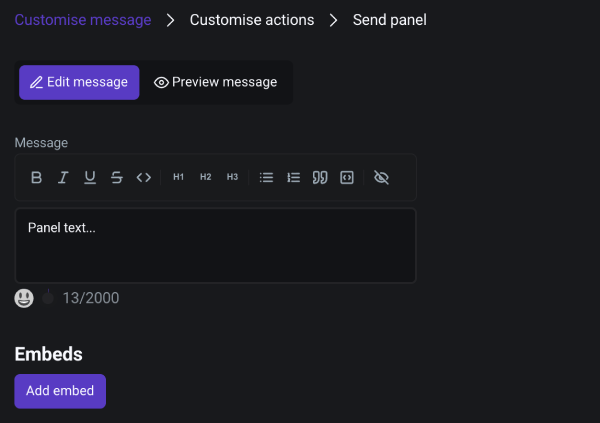
In the first step, you can customize the appearance of the panel. Select if you want text or an embed or any combination of these. You can style the text in the editor and the embed with our embed visualizer. Click "Preview message" to see a preview of the panel.
Add buttons or dropdown items
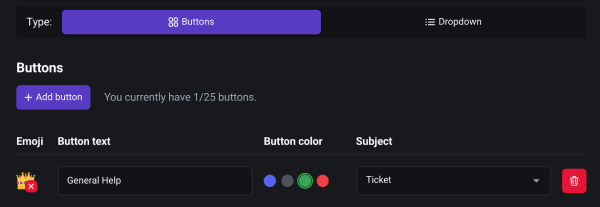
On the next step, you can choose whether you want to have buttons or a dropdown on your panel. These buttons/dropdown items will later open a ticket when pressed. You can customize button appearance, add button emojis and - at last - select, in which subject tickets should open when clicking this item.
Select a channel in which to send the panel
Last step: select a channel on your Discord server in the dropdown menu. If you've recently made a Discord channel, you may click "Refresh" to refresh the channel list in the dropdown.
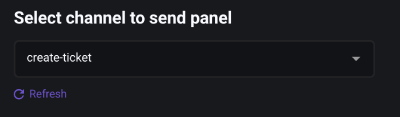
When you click "Send panel", the panel should appear in your selected channel from step 3.